Appendix C: Student Interview Script
Student Interview Script
Thanks for being here. This session is part of a research project to improve digital accessibility at Langara. I am going to ask you about your experiences with course materials—what has worked, what hasn’t, and what you think would help. You are helping co-design solutions, not just report problems.
I will record the audio of this session to ensure I accurately reflect your insights as well as keep copies of anything we write down or create. However, no identifiable information will be presented to anyone. I will ensure any specific mentions of a course or instructor are edited out of the recordings.
You can skip any question or stop at any time. Any questions before we begin?
Potential activities are marked bold, e.g., Journey map, and activities begin on page 4.
General Experience with Digital Learning
- Can you tell me about your overall experience with digital learning materials at Langara?
- How does your experience accessing content differ across courses or instructors?
- If applicable, how does your experience with digital learning material at Langara compare to your experience with digital learning material at other schools?
- Why do you think that difference exists? Is it tools, awareness, effort, or something else?
- Can you describe how you typically access and engage with course content like readings, videos, or lecture slides?
- Before we move forward, let’s quickly map out how different formats (e.g., PDFs, videos, Brightspace) work for you… ® Journey map
- What devices or tools do you usually rely on to navigate digital learning environments?
- If applicable, how does your experience with digital learning material at Langara compare to your experience with digital learning material at other schools?
Barriers and Accessibility Challenges
- Have you ever struggled to access a learning resource because of its format or design?
- How did that make you feel?
- “Are there times when you’ve felt excluded or overlooked because of the digital learning material required for a course?” ®Empathy map
- What types of content (e.g., PDFs, videos, websites, slides) do you find most difficult to use?
- Examples (if necessary)
- Have you faced barriers in Brightspace or another LMS or Courseware (e.g., Achieve, LaunchPad, Connect, MindTap, My Lab Management, Pearson+, WileyPlus)
- Now let’s map your experience with specific digital formats—what can’t you use, what’s difficult, and what works? ®Inclusive design map
- Can we map out that difficult experience step-by-step? Where did you get stuck, how did you feel, and what could have helped? ® Journey map
- Can you recall any specific examples and what made them difficult for you?
- Was it about how it looked, how it worked, how it was explained—or something else?
Positive Experiences
- Can you describe a course where the digital materials were especially accessible or inclusive?
- What did the instructor do that made a difference in your ability to participate or learn?
- Have you ever been asked for feedback on accessibility before? What was that experience like?
- Have you ever had a course where you did not need to inform your instructor of your accommodations (because their course design, assessments, etc. Worked for you?)
- What about that course worked so well for you?
- Let’s use an empathy mapto capture what you were feeling and thinking in that accessible course: what made it different, how did you feel, and what were your goals?
Feedback and Advice for Instructors
- What do you wish more instructors understood about digital accessibility?
- How would you want them to hear or learn that message?
- What would you want to see included in a workshop that trains staff on accessibility?
- Student stories? Examples? ® 3 ideas
- What would be one change instructors could make that would have made a big difference for you? What do you think would be the best way for instructors to understand your experience?
- Let’s dig deeper into why that matters. Why should instructors [do that action]? Why is that important…? ® Why why why
- Let’s quickly sketch out possible solutions to this problem. What could instructors do to fix it? Let’s think practically, radically, or even simple “band-aid” solutions. ® Quad Ideation, 3 Ideas
- What made that feel like a “big” difference?
- If an instructor said “I don’t know how” or “when am I expected to do this?” how would you respond? ® Empathy map, Users/stakeholders
Reflective and Emotional Impact
- How does inaccessible content affect your learning, your time, or your sense of belonging?
- “Let’s imagine one positive change happened. How could this small improvement have wider impacts for you and other students? Let’s brainstorm that together…” ® Inclusive design map
- Do you feel comfortable advocating for accessibility changes? Why or why not?
- How could students be involved more meaningfully in future accessibility initiatives?
- Let’s quickly map out who influences accessibility changes and where students fit in—what roles should students have, and how much influence should they hold? ® Users/stakeholders
- Would you prefer to offer input asynchronously at any point?
- If yes, provide async worksheet and reminder of submission deadline date
Conclusion
Thank you so much for your time and insight today. Your contributions are incredibly valuable and will directly shape how accessibility is supported at Langara.
If you have any follow-up thoughts, feel free to reach out by email. You’re welcome to review and edit your responses or entirely withdraw your participation or data at any time before October 31, 2025. To do so, please email lmcknight@OCADU.ca
If you opted in to receive a summary of the results or a link to the final Open Educational Resource, I’ll be in touch once that is ready.
Thanks again for helping make learning more inclusive for everyone.
Examples
MRP Examples in Brightspace practice course
- Consider these examples of digital content. What stands out to you as helpful or harmful?
- What changes or improvements would you suggest?
Examples will be crafted from the text of the Universal Declaration of Human Rights (UDHR) formatted in various ways (font size and style, use of colour, responsive and fixed widths, etc.) presented in multiple file formats (HTML, Word document, PDF, scanned PDFs, etc.) Selections of the UDHR text will be copied into a PowerPoint to function as examples of reading order issues, hard-to-read font, poor colour use, cluttered and overcrowded slides, and media without captions and transcripts. The text of the UDHR will be use in the Brightspace learning management system to exemplify poor link usage; no heading structure; poor general course structure and navigation; lack of useful names for topics, files, and other content; use of colour; uncaptioned and untranscribed media; and other general LMS issues. Video and audio examples will be taken from the United Nations and/or United Nations Human Rights YouTube accounts.
Activities
Any of the following activities may be used based on previous responses, examples highlighted, or personal experience shared.
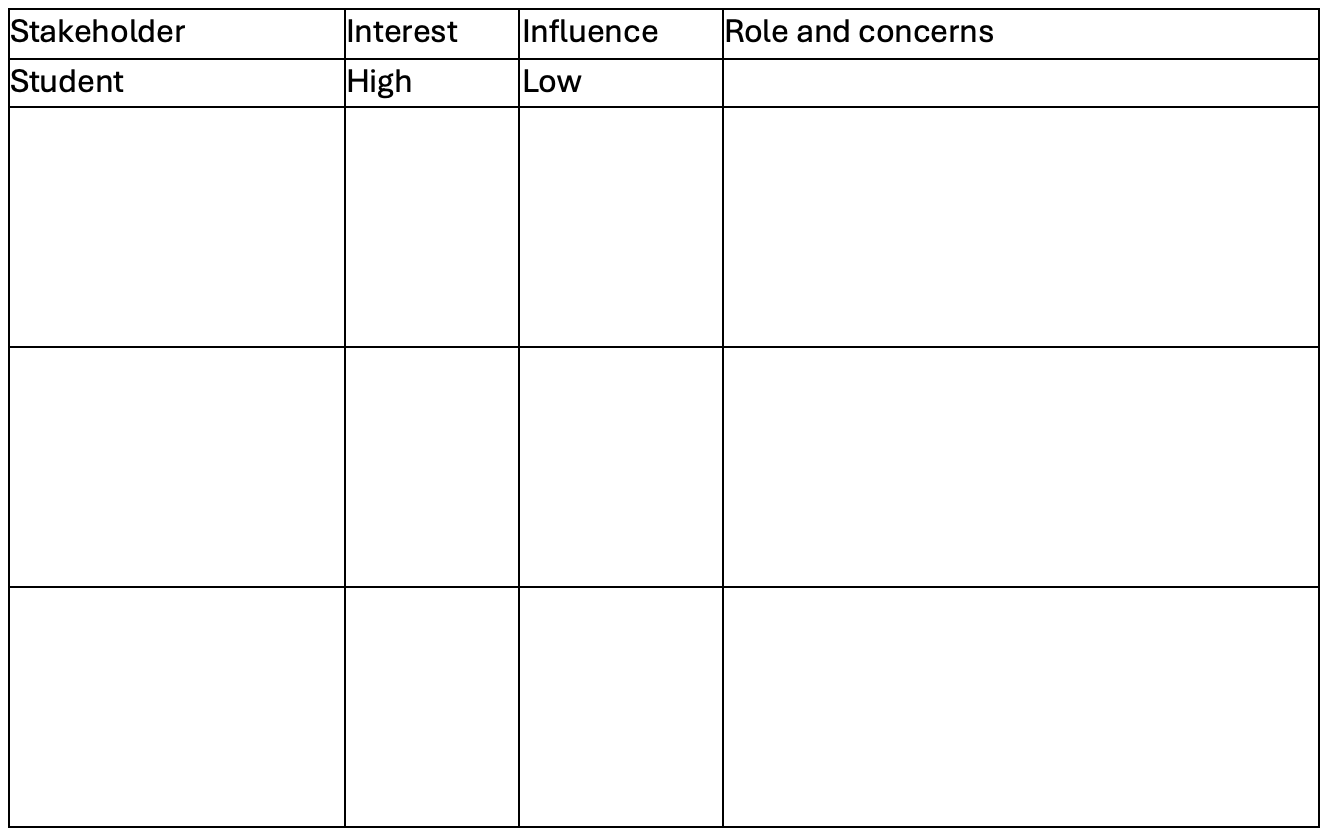
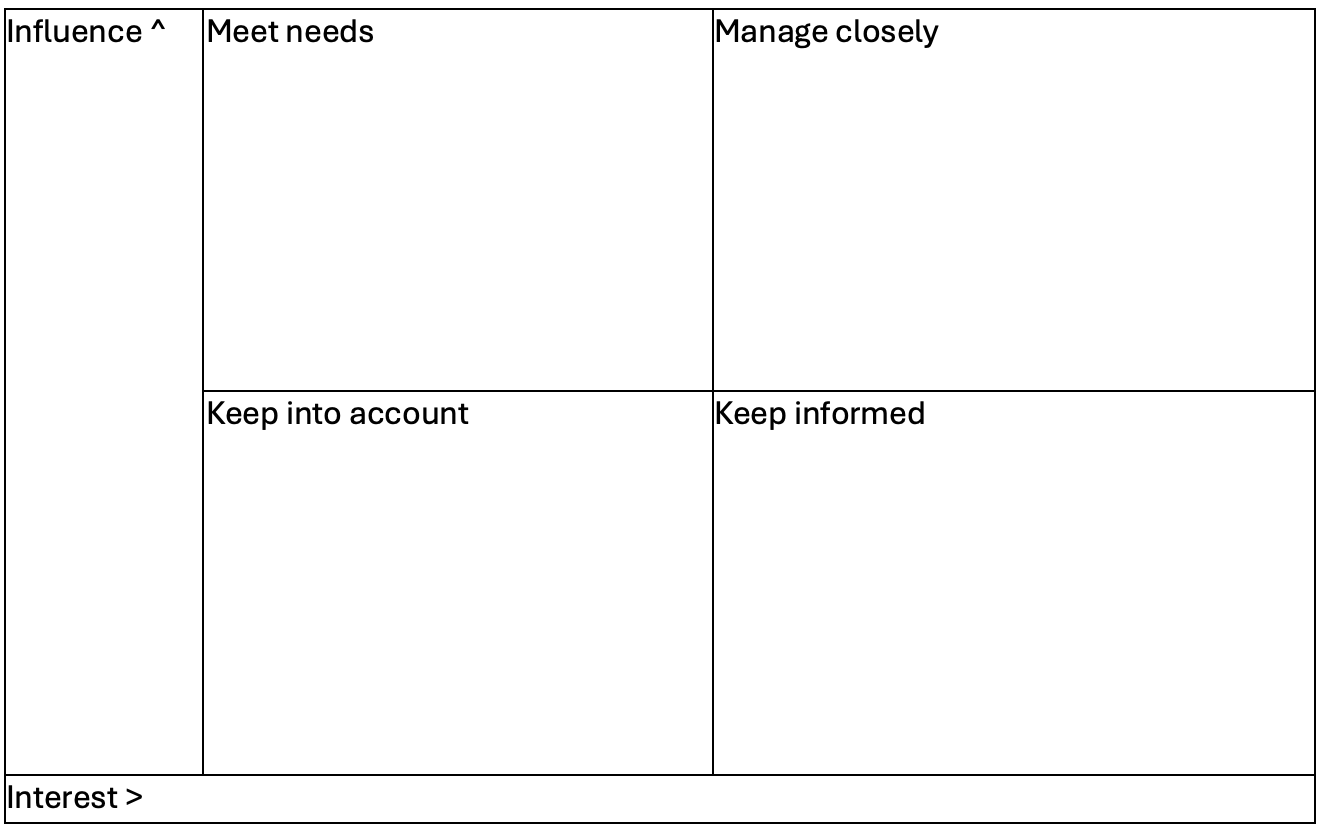
Users/Stakeholders
This activity is useful to focus on who. For example, if a student says they have difficulties with library resources, we can consider the stakeholders to narrow down a solution.
Needs List
A needs list can be used to center one’s own experience or empathize with another’s. For example, if a student were having trouble identifying what would be of greatest benefit to them, this tool could focus efforts.
I am [role]. I need [description of needs]. So that [reason].
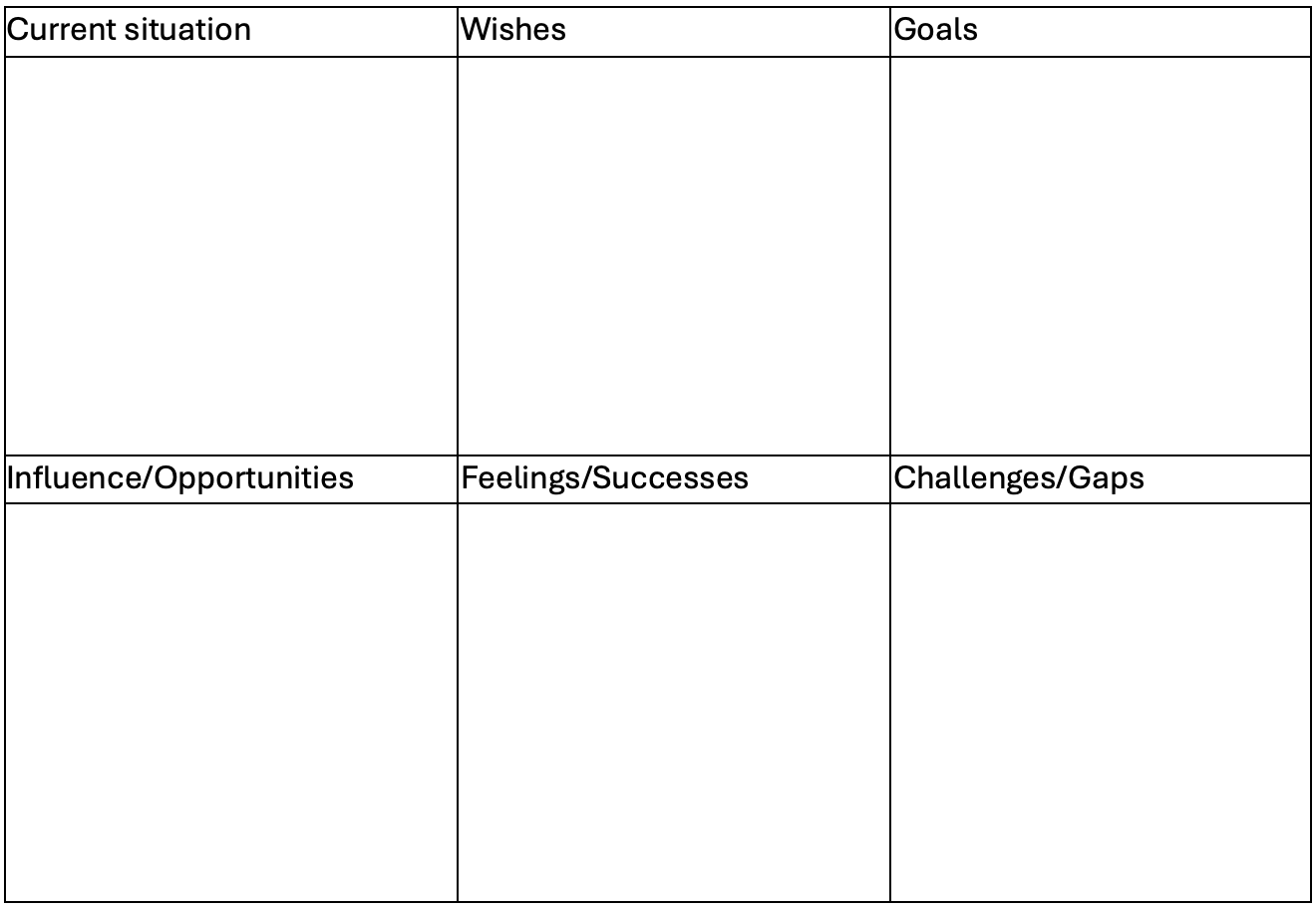
Empathy map(s)
An empathy map is useful to consider other viewpoints or experiences. An empathy map can also be used to capture one’s own perspective. An empathy map would be useful to document a student’s viewpoint when, for example, encountering a reading that is not compatible with their assistive technology.

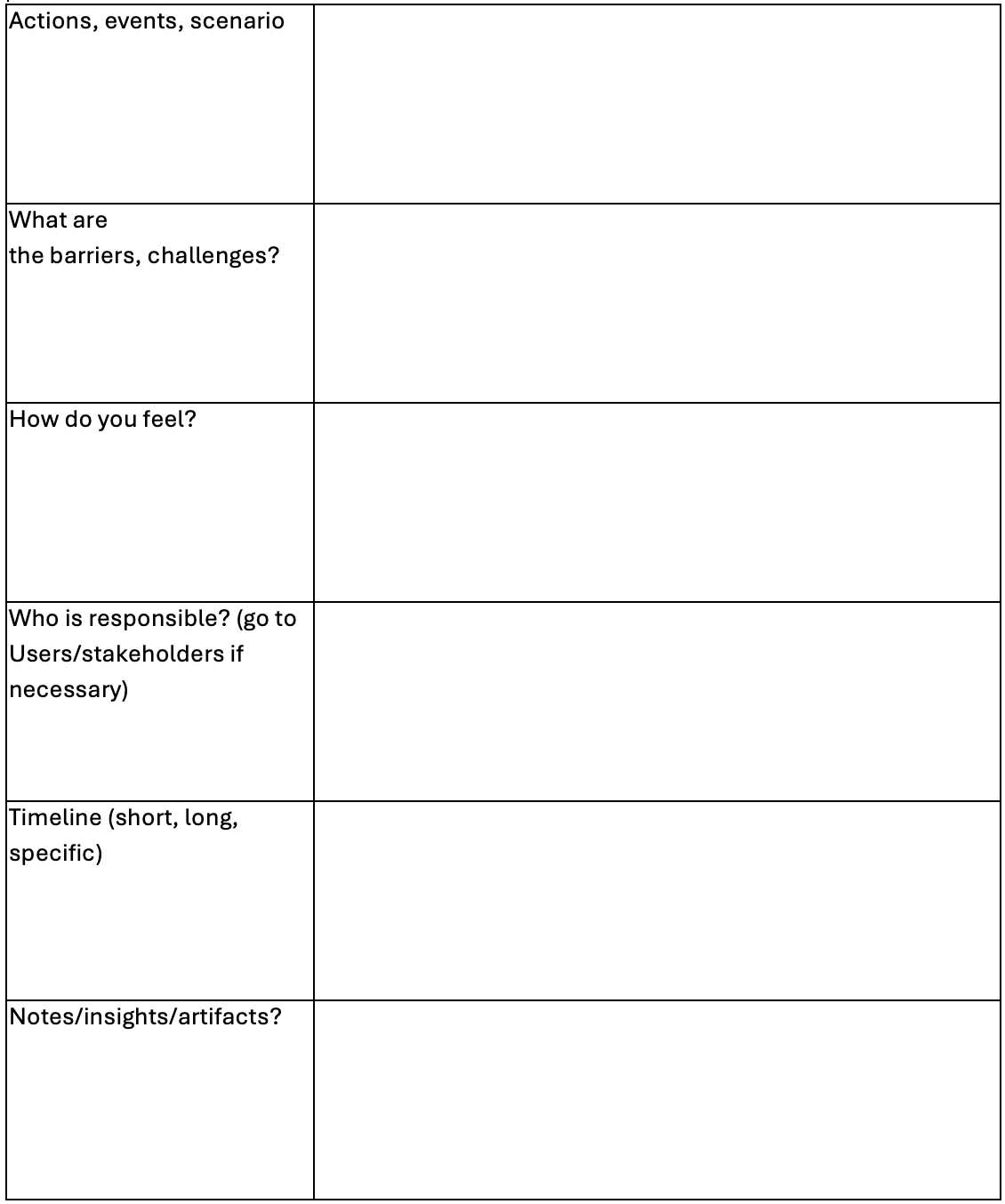
Journey Map
Like an empathy map, a journey map can document one’s own perspective or the experience of another. However, a journey map adds a dimension of time considering influencing factors and change. For example, a journey map would be useful to document a student’s experience getting remediated learning material compatible with their technology.
Co-designing inclusive feedback mechanisms by user journey mapping.pdf
Why
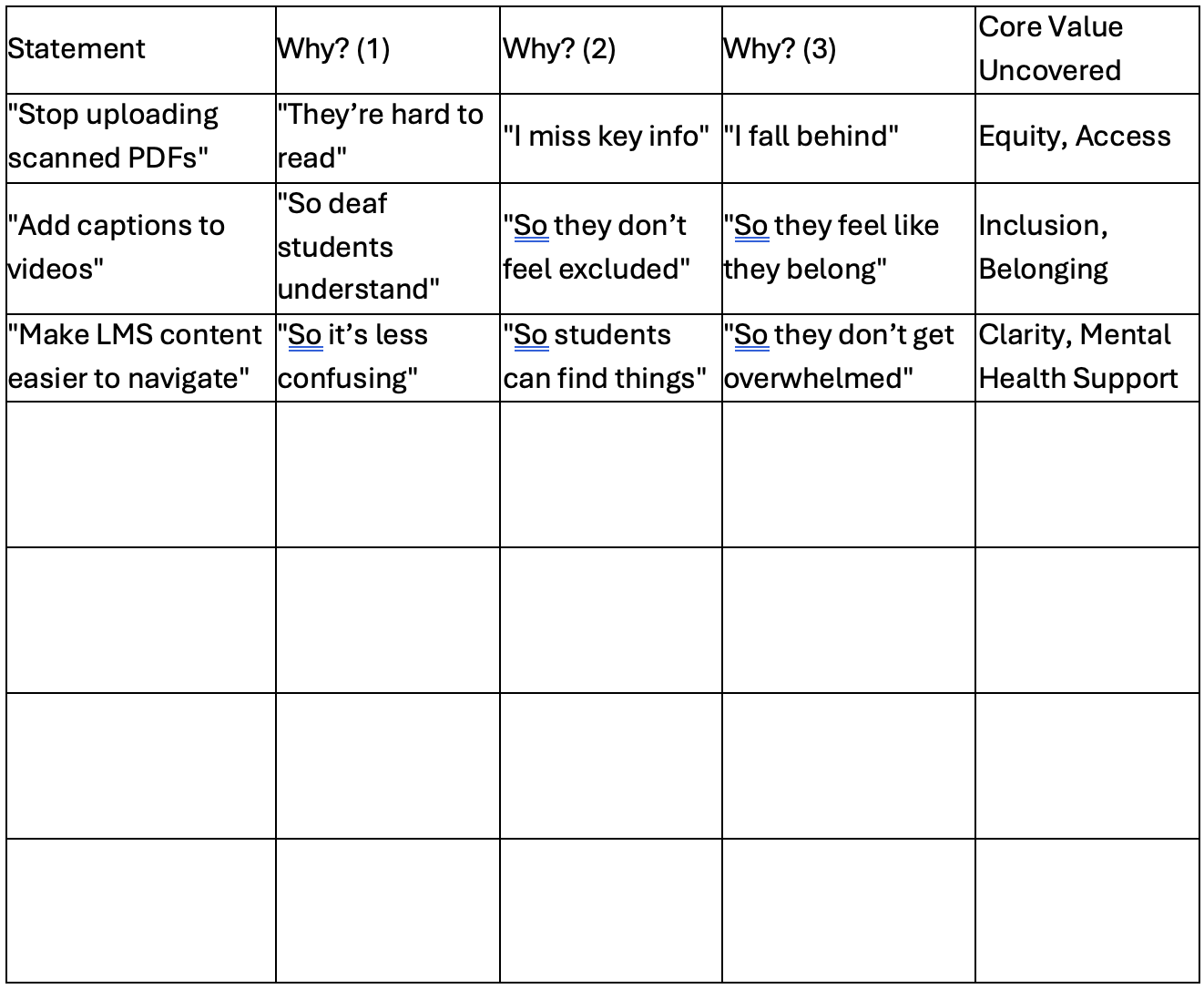
Repeatedly asking why, like a toddler might to an adult could be employed to get to the heart of an issue raised by a student. For example: “Instructors should stop uploading scanned PDFs that are blurry or hard to read.” First principles | Untools
“Why?” “Because it’s hard for me to read them.”
“Why is that important?” “Because if I can’t read them, I fall behind.”
“Why does that matter?” “Because I want to succeed like everyone else.”
“So what does this tell us about what really matters?”
- Record on whiteboard or worksheet and/or capture keywords, quotes in chart (as below)
- Potential follow up: “Other than you, who would benefit from this?”
Problem Reversal
A problem reversal is an exercise in which one lists all the ways to make something worse. The intention here is to flip flop results (e.g., If we want to make things more accessible, think about how we’d make them less accessible). This can expose ideas, trends, or patterns that may be overlooked when approaching the problem as it currently is. Inversion | Untools
3 ideas
By approaching a problem with suggestions for a band-aid, practical, and radical solution offers a rapid prototyping and brainstorming method. For example: a band-aid for inaccessible readings is remediation, a practical solution is to train staff to choose accessible content, and a radical solution is to use AI to remediate content in real time.
Concept Fan
A concept fan may be employed to move from addressing individual issues to tackling the source of individual issues. For example:
“Make readings more accessible” could be solved by training instructors, using AI, etc. But when no more ideas are generated, move up a level to: “inaccessible file formats” which could address “make readings more accessible” but by targeting root causes.

Potential talking points/cues:
“’taking a step back’ to get a broader viewpoint. Initially, the Concept Fan requires you to draw a circle in the middle of a large piece of paper. Write the problem you are trying to solve in the circle. To the right of it radiate lines representing possible solutions to the problem see the diagram below:”
“Drawing a circle to the left of the first circle does this, writing the broader definition into this new circle and linking it with an arrow to show that it comes from the first circle”
“Use this as a starting point to radiate out other ideas”
Quad Ideation
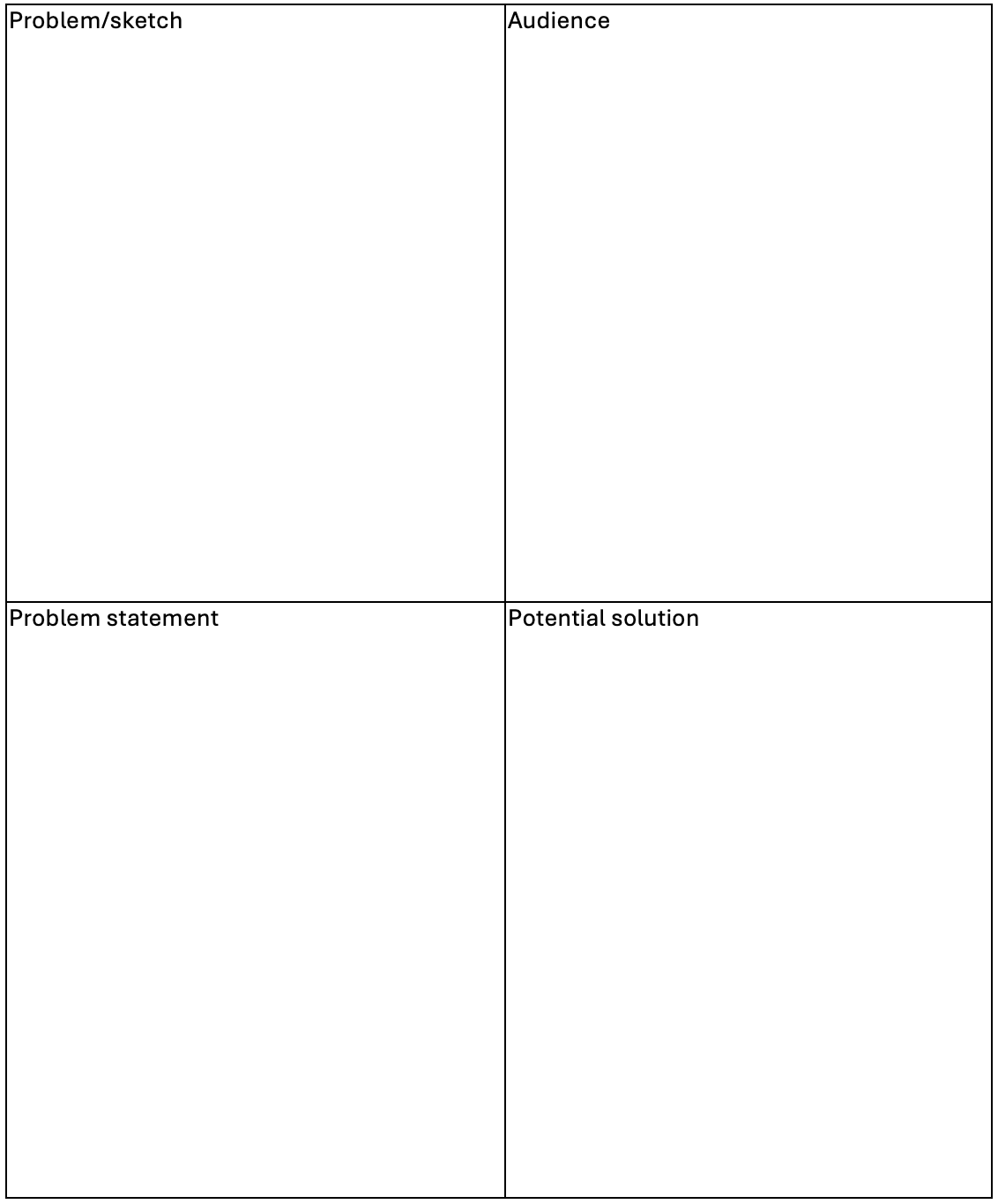
A quad ideation is a 2×2 grid in which a problem is addressed, and a potential solution is proposed. This can be used for rapid prototyping and sketching ideas.
Inclusive Design Map
An inclusive design map is an exercise in which a user’s experience is “mapped” relative to the product. Each of these will be different depending on the participant and learning material discussed.
Talking points:
“Let’s try an activity that helps map your personal experience with different types of digital learning materials (for example: Brightspace pages, PDFs, videos, scanned readings, forms, or online quizzes).”
OR
“Let’s try an activity that helps map your personal experience with different types of digital learning content (readings, videos, Brightspace content, etc.)
For each one:”
- “Think about how well it works for you.
- If it’s something you can’t use, mark it in that field. So, if for your readings you can’t use scanned PDFs because your read aloud software won’t work with it, you’d write that down.
- If you don’t like it, such as say an “accessible PDF” which won’t zoom and sometimes gets confused about columns, but you can use it mark it there.
- If you like it and use it, mark it there. Such as “readings from the library or web pages””
“Feel free to add why something is difficult or helpful—whether that’s due to layout, missing features, emotional impact, or something else.”
Many responses can be refined by using Why why why (see above)
Examples
Readings

Videos

Format (e.g. “PDF” or more general like “Readings”)
Can’t use:
Don’t like or have difficulty using:
Like and use:
“What could move that design closer to “like and use” for you?”
“Why do you think instructors choose [whatever they listed as “can’t use”]?”
Then take responses (from multiple) and combine into a single diagram to map trends.
“What patterns do you notice when looking at your map?”
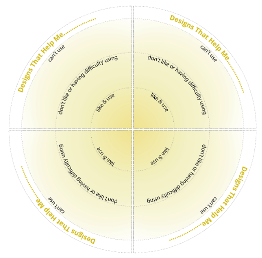
Virtuous Tornado | The Inclusive Design Guide The Inclusive Design Guide
Inclusive Design Map Whiteboard Template
Format
Can’t use (and why?):
Don’t like or have difficulty using (and why?):
Like and use (and why?):