Chapter 2. Security Tuneup
2.5 SubInterfaces and Vlans
Learning Objectives
- Identify sub interface in Palo Alto
- Configure sub Interfaces
- Separate the traffic in different Vlans
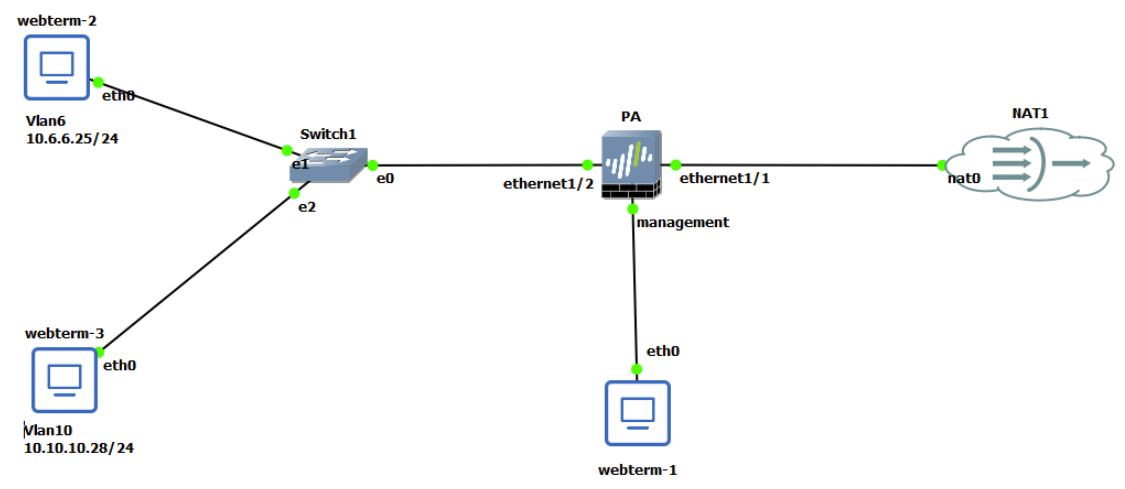
| Device | Configuration |
| Palo Alto | Ethernet 1/1: DHCP Client – Type: Layer3
Ethernet 1/2: – Type: Layer3 Management: 192.168.1.1/24– Type: Layer3 |
| WebTerm1-Management | 192.168.1.2/24 |
| WebTerm2-Vlan6 | IPV4: 10.6.6.25/24 GW: 10.6.6.1 DNS: 8.8.8.8 |
| WebTerm3-Vlan10 | IPV4: 10.10.10.28/24 GW: 10.10.10.1 DNS: 8.8.8.8 |
To Add subinterfaces, first select Ethernet 1/ 2 as a Layer 3 and then select Ethernet1/ 2> Add Subinterface:
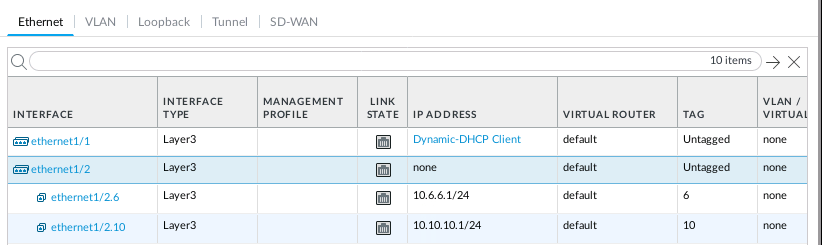
| InterfaceName | Tag | Virtual Router | Security Zone | IPV4 |
| Ethernet1/2 | – | Default | – | – |
| Ethernet 1 /2.6 | 6 | Default | Guest | 10.6.6.1/24 |
| Ethernet 1/2.10 | 10 | Default | Secure | 10.10.10.1/24 |
| Parameters | Value |
| Guest | Ethernet 1 /2.6 |
| Secure | Ethernet 1/2.10 |
| Outside | Ethernet 1/1 |
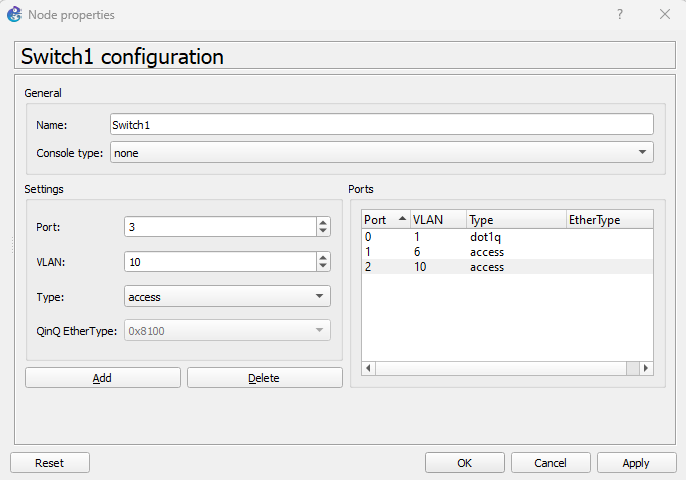
Right click on the Switch> Configure, delete all interfaces except eth0,eth1 and eth 2 and configure the interfaces as below:
| Port | Vlan | Type |
| 0 | 1 | Dot1q |
| 1 | 6 | Access |
| 2 | 10 | Access |
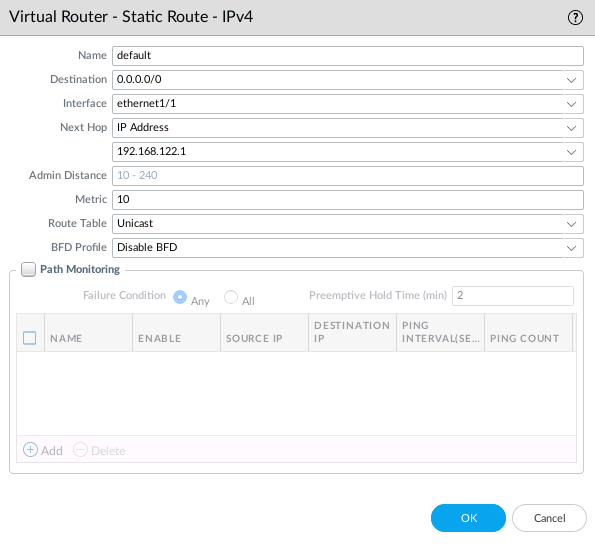
1. In Palo Alto, create a default route 0.0.0.0 0.0.0.0 [Default Gateway]
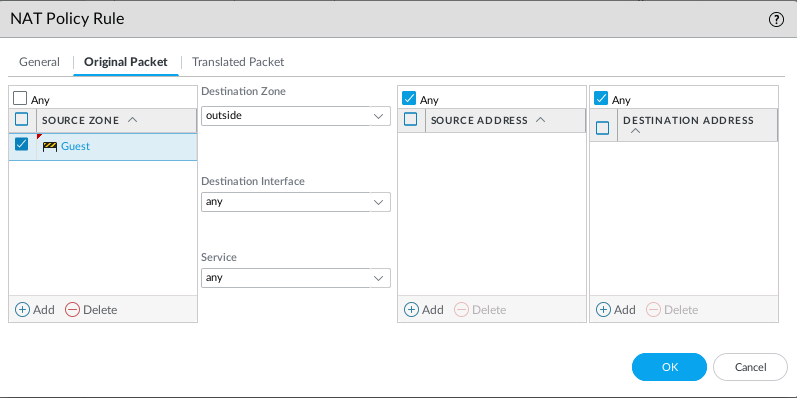
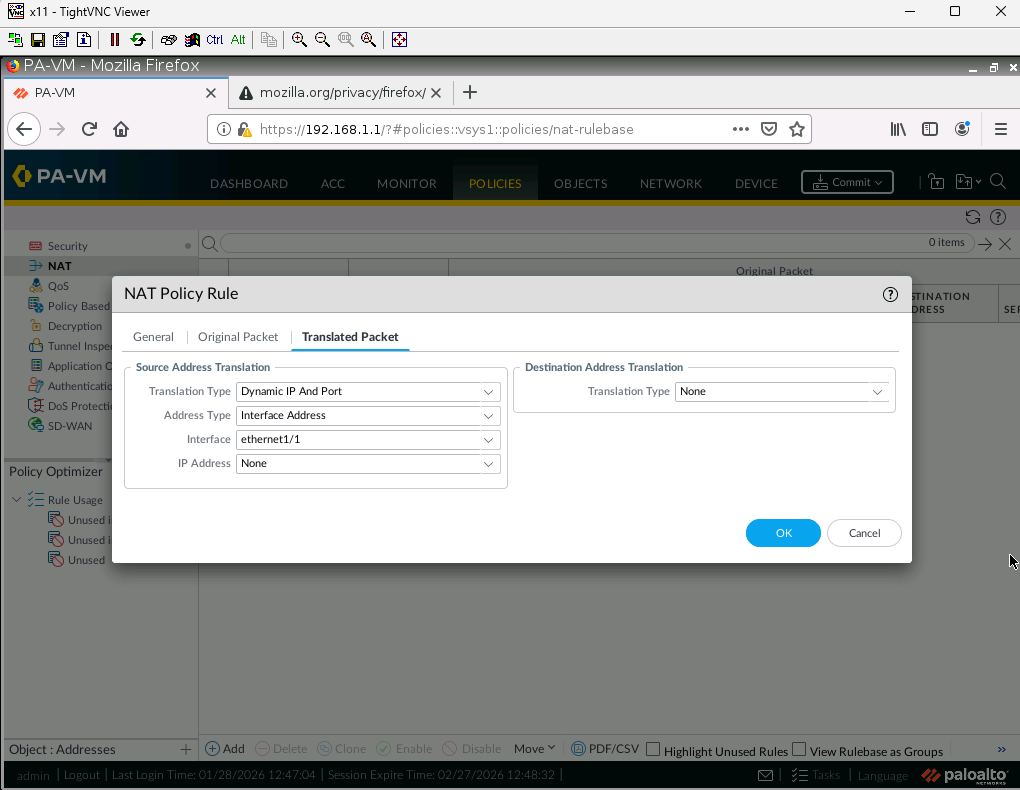
2. Create a Source NAT from Guest to Outside.
3. Create a Policy from Guest to Outside. Only DNS, Web-browsing, dns-over-https and SSL applications should be allowed.

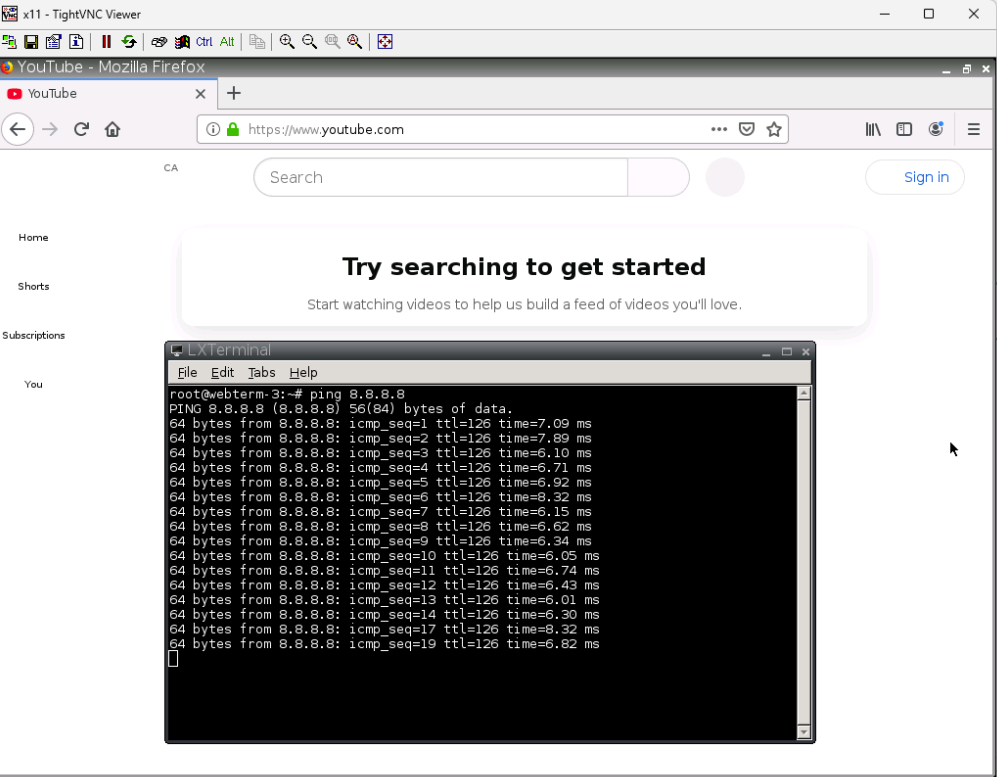
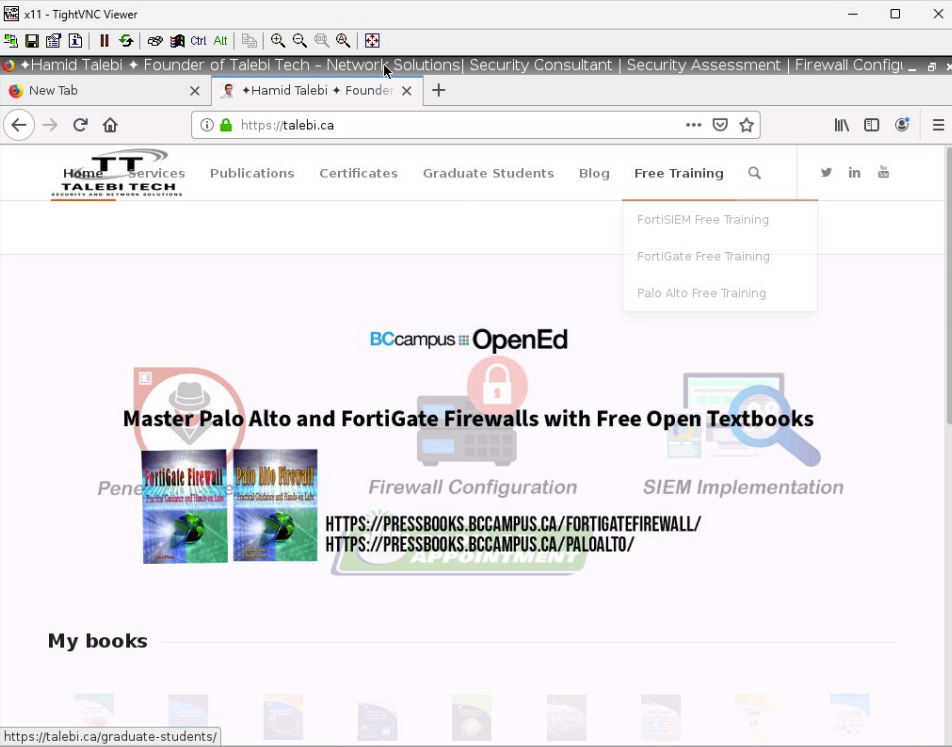
4. Verify your configuration in Vlan 6. You shouldn’t be able to ping 8.8.8.8. You should be able to reach Talebi.ca.
5. Create a Source NAT from Secure to Outside
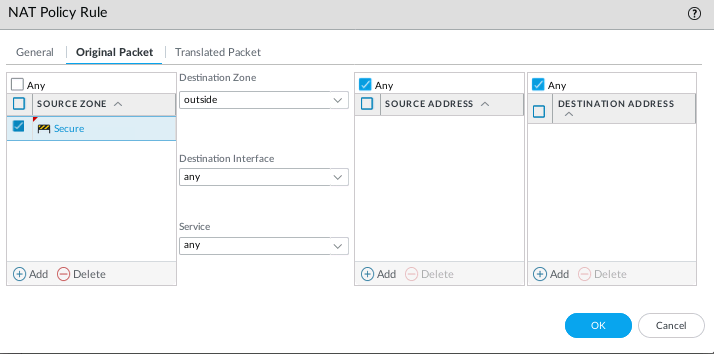
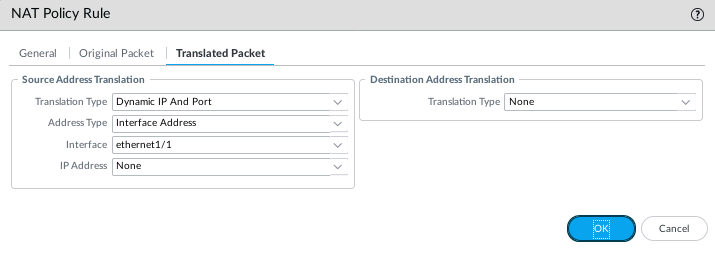
6. Create a Policy from Secure to Outside. Only Ping,DNS, YouTube, Goolge-base applications should be allowed.
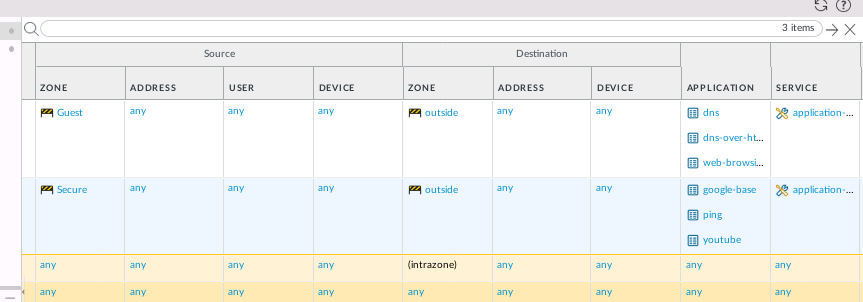
7. Verify your configuration in Vlan 10. You should be able to ping 8.8.8.8. You should be able to reach YouTube.com